
A step up in trading functions
All Platforms
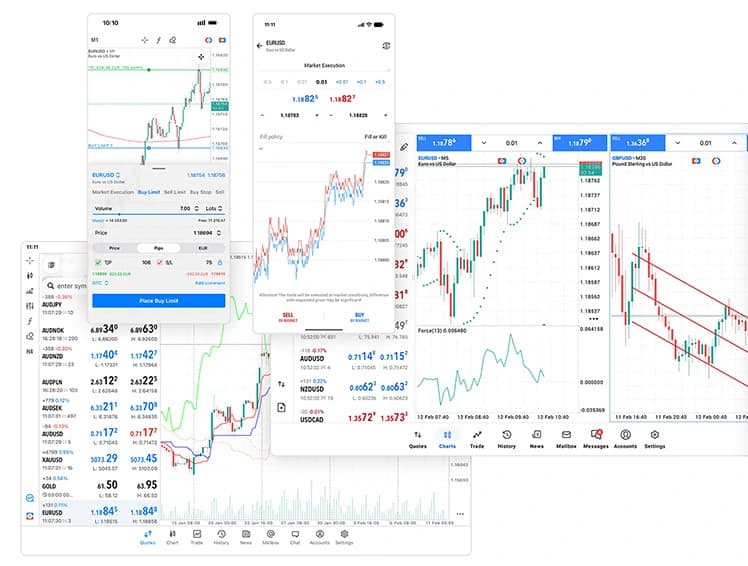
The next generation multi-asset platform, offering more timeframes, an economic calendar, and a built-in depth-of-market view for serious traders.
- Advanced charting tools
- 80+ technical indicators
- Real-time market insights

About MetaTrader 5
MetaTrader 5 is a next-generation multi-asset trading solution building upon MT4's capabilities with improved performance, expanded tools, and access to a wider range of markets. Trade forex pairs, global stocks, major indices, commodities, metals, and cryptocurrencies through a single interface.
Key Features
- Depth of market (DOM) functionality
- Multiple pending order types
- Advanced strategy testing for algorithmic trading
- Built-in marketplace for trading tools
- Real-time mobile alerts

Live markets
Stocks market summary
Live prices for popular share CFDs you can trade on MT5.
Charts by TradingView. Prices are indicative and may differ from Novixa trading prices.
Get Started
Trading on MetaTrader 5 in 4 Steps
- 1Open a live or demo account with Novixa Capital
- 2Download MT5 for your desktop, or use the mobile/web version
- 3Log in with the credentials from your welcome email
- 4Fund your account and start placing trades
Advanced, Flexible & Powerful
Why Trade on MetaTrader 5 with Novixa Capital Limited?
MT5 integrates technical and fundamental analysis tools. Create custom indicators and automate strategies using Expert Advisors (EAs), supporting both manual and automated approaches.
The platform operates across desktop, web, and mobile for a consistent experience across devices running Windows, Mac, or browsers.
Trading Advantages
Core Features
FAQs
MetaTrader 5, explained.
Clear answers to common questions about MetaTrader 5 at Novixa Capital.
Use the MT5 trading-account login, password and server details issued for that account. These may differ from your client-portal credentials. Use Novixa's official download links.
MT5 offers desktop, browser and mobile access. Use the versions linked by Novixa and check device compatibility; available tools can differ between versions.
MT5 desktop supports Expert Advisors. Use them only within the approved Novixa account rules, test carefully and remember automation can lose money or fail technically.
In desktop MT5, open Market Watch, right-click the symbol and choose Specification. Review contract size, volume limits, financing and sessions for the account you are using.